
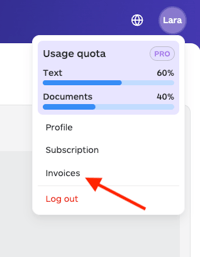
- Log in to your account, click on the Profile icon at the top right corner of the dashboard, and then click on Invoices.
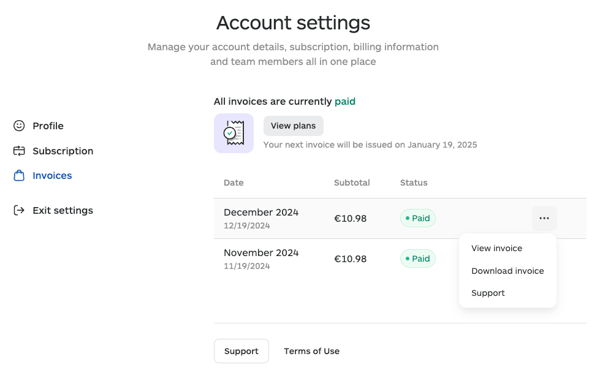
- This page lists all your past transactions. Browse through the list to locate the invoice you wish to view. Invoices are sorted by date.
- To view the details, click on the three dots to the right of the transaction date, then click View or Download invoice, depending on your need.
Please note: Invoices are issued in the same currency used at checkout. The invoice currency cannot be changed after purchase.
This article is about:
- Viewing billing history
- Downloading invoices
- Accessing transaction records