
Translating millions of characters per month? Volume plans bring your per-character rate as low as €5 per million, with priority API support and overquota protection. Talk to our team about Translation API volume plans.
In this guide I’ll show you how to track your API usage on Lara Translate in a few simple steps.
Step by step guide
To track your API usage, follow these steps:
-
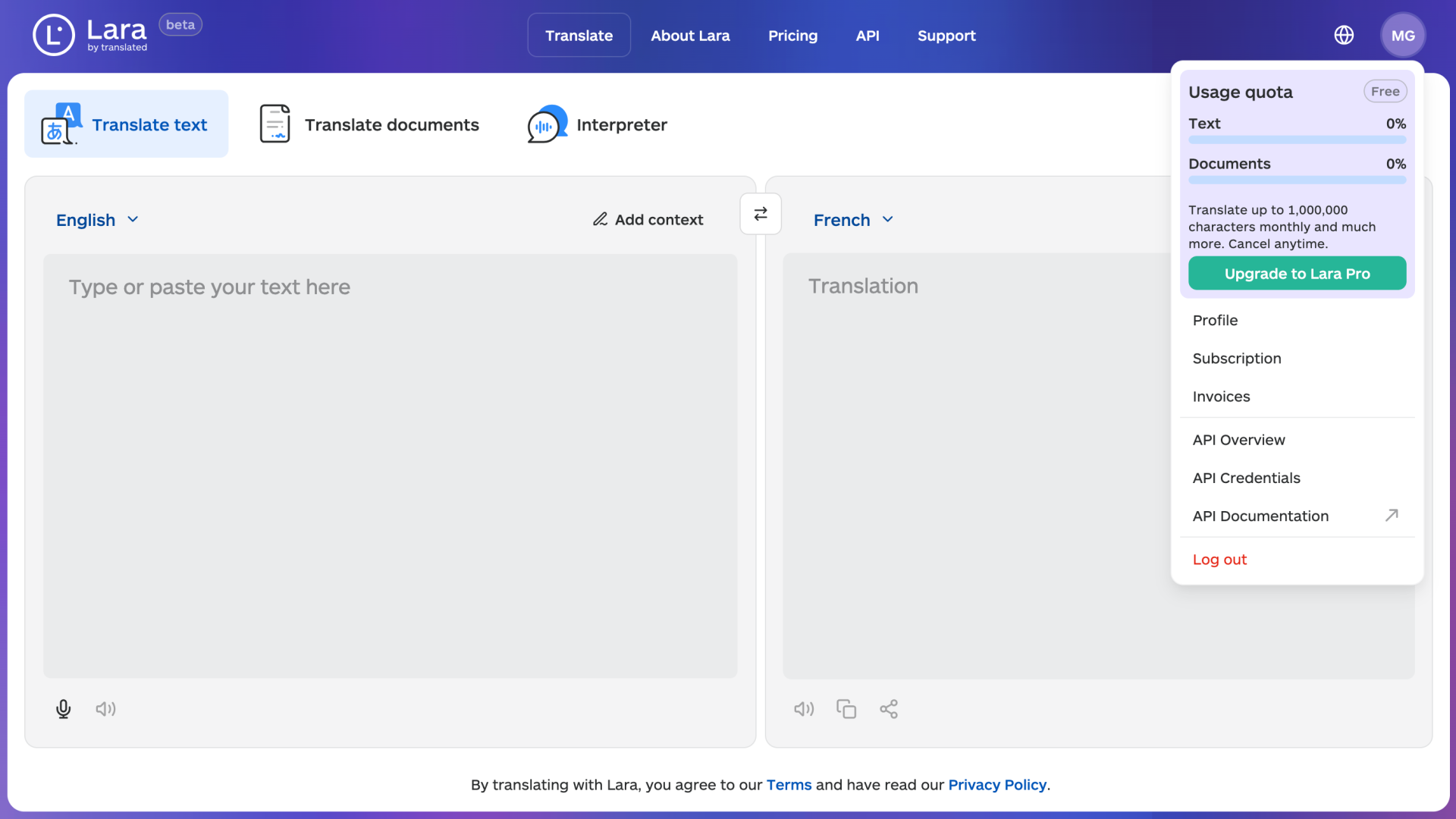
Log in to your Lara account
-
Navigate to the Menu and click on API Overview
-
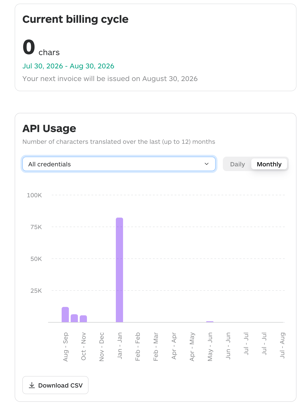
In the API Overview section, you will see:
- Current billing cycle — the total number of characters translated in the current billing period, with the start and end dates of the cycle and the next invoice date
- API Usage chart — a bar chart showing characters translated over time, with two view options:
- Daily — data for the last 90 days
- Monthly — data for the last 12 months
- You can filter the chart by individual API credential using the dropdown menu, or select All credentials to see the combined usage
-
To export your usage data, click Download CSV at the bottom of the chart. The exported file reflects the current view — daily or monthly — and the selected credential filter.
This article is about
- How to download a CSV export of API usage data, filtered by credential and time period
-
Understanding usage limits, reset dates, and plan-specific costs