
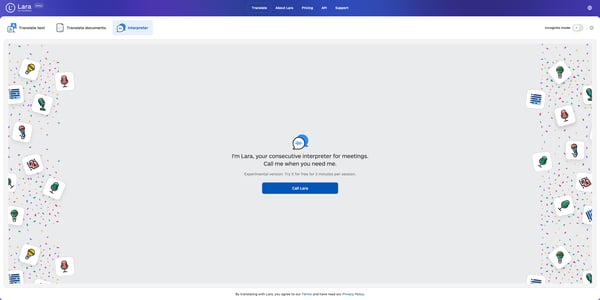
- What is Lara Interpreter? Lara Interpreter is an experimental feature designed to provide consecutive interpretation for meetings. It listens to your speech, processes it in real-time, and then translates it into the desired language, making communication across languages seamless and efficient.
- How to use it? At the beginning of each session, select the two languages you want to interpret between using the dropdown menus. Lara will be ready to translate from either language to the other.
To start interpreting, press and hold the Microphone button while you speak. Once you’ve finished speaking, release the button. Lara will then process your speech and provide the interpretation.
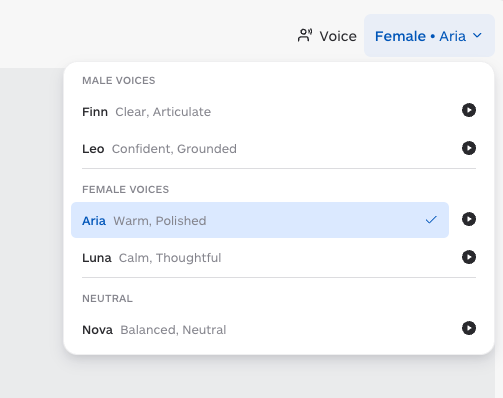
The dropdowns are automatically pre-filled with the language pair you used in your previous session, so you can jump straight into interpreting without setting them every time. - Choosing a voice Before starting a session, you can select the voice used for the interpreted output. Click the Voice selector in the top-right corner of the Interpreter interface to open the voice picker. Voices are grouped into three categories:
- Male voices: Finn (Clear, Articulate), Leo (Confident, Grounded)
- Female voices: Aria (Warm, Polished), Luna (Calm, Thoughtful)
- Neutral: Nova (Balanced, Neutral)
-
Lara Interpreter draws from your monthly character pool. Every second of live interpretation consumes 400 characters from your pool, shared across all features.
For example, a 10-minute interpretation session (600 seconds) consumes 240,000 characters from your monthly pool.
For a full breakdown of how each feature consumes characters, see How is usage calculated?.
Once your monthly pool is used up, you will need to wait until the next billing cycle for it to reset, or upgrade to a plan with a larger pool.
How many languages are supported? Lara Interpreter supports 185 languages.
This article is about:
- Using Lara Interpreter for meetings
- How Interpreter sessions consume your monthly character pool
- Selecting and previewing voices for interpretation
- Supported languages for Lara Interpreter